
TL;DR
In Solaris 11.4 SRU 90, beadm can mark a boot environment with a preserve policy, preventing accidental deletion via beadm destroy. This does not protect against manual zfs destroy operations.
Preserve boot environments
For certain system changes, I create a generous number of boot environments. Because they are snapshot-based and the root filesystem is ZFS, creating many of them is cheap and practical. I usually delete them again fairly quickly.
Now imagine it’s 2 AM, the coffee hasn’t been fresh for a while, and you want to tidy things up. Before you know it, you’ve deleted a boot environment you didn’t actually mean to delete.
Since Solaris 11.4 SRU 90, there is a way to mark a boot environment so that it cannot be destroyed with the beadm tool. If you then try to delete the boot environment, the operation is prevented.
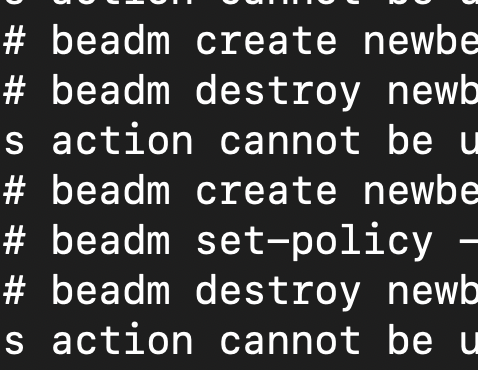
root@testbed:/# beadm create newbe1
root@testbed:/# beadm set-policy -npreserve newbe1
root@testbed:/# beadm destroy newbe1
Are you sure you want to destroy be://rpool/newbe1? This action cannot be undone [y|N]: y
Destroying BE be://rpool/newbe1 failed: Unable to destroy be://rpool/newbe1 because it is marked with 'preserve'.
Please see logfile /var/share/beadm/beadm.xyz.log for additional details
To destroy the boot environment, you first have to remove the preserve policy:
root@testbed:/# beadm set-policy -n-preserve newbe1
root@testbed:/# beadm destroy newbe1
Are you sure you want to destroy be://rpool/newbe1? This action cannot be undone [y|N]: y
root@testbed:/#
However, you can still manually delete the underlying ZFS datasets using zfs destroy — that is not prevented. So a degree of caution is still warranted when working with zfs destroy.
root@testbed:/# zfs list | grep "newbe1"
rpool/ROOT/newbe1                                             113M  3.25G  2.72G  /
rpool/ROOT/newbe1/var                                           1K  3.25G  2.18G  /var
root@testbed:/# zfs destroy -R rpool/ROOT/newbe1
root@testbed:/# zfs list | grep "newbe1"
root@testbed:/#

All three of these came about due to real production system outages/issues and in each case Insaw a chance for a safety guard.