
TL;DR
The output of the devnm tool can now be used directly without additional parsing.
Which disk do you live on?
It’s really just a small new feature in Solaris, but very useful in the right context. The feature is also interesting because it illustrates the consequences of binary compatibility in Solaris development in a simple, vivid way.
It’s sometimes quite useful to know which device or dataset (more precisely, which “special file”) a filesystem resides on that contains a given file. That’s what the devnm command is for.
For a file in a ZFS filesystem it shows the following:
root@testbed:~# devnm /system/zones/myzone/root/var
rpool/VARSHARE/zones/myzone/rpool/ROOT/11.4.91.214.1/var /system/zones/myzone/root/var
For a UFS filesystem the output looks slightly different:
root@testbed:~# /usr/sbin/devnm /testfilesystem
/dev/dsk/c1t0d0s6 /testfilesystem
You can also pass in a filename directly, and the tool will tell you where that file resides:
root@testbed:~# devnm application.py
rpool/ROOT/11.4.91.214.1 application.py
Unfortunately, in scripts you had to parse out the information you already knew, since the output included the input parameter (the filename) alongside the answer. This was necessary because you can query multiple files at once:
root@testbed:/rpool/testpool# devnm /root/application.py /rpool/testpool/testfile1
rpool/ROOT/11.4.91.214.1 /root/application.py
rpool/testpool /rpool/testpool/testfile1
The new -s option
Now, you couldn’t just change the command so that it only repeats the query when asking about more than one file. That would change the behavior of the command, which applications and scripts may rely on. Depending on how robust the parsing is, the script might then behave unexpectedly or stop working altogether. Where not working at all is the better option.1
So in Solaris 11.4 SRU 902 a new option, -s, was introduced.3
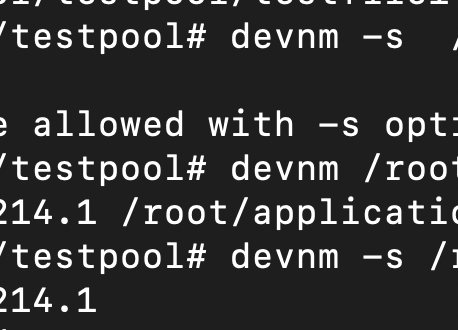
root@testbed:/rpool/testpool# devnm -s /root/application.py
rpool/ROOT/11.4.91.214.1
The option doesn’t work when querying multiple files at once:
root@testbed:/rpool/testpool# devnm -s  /root/application.py /rpool/testpool/testfile1
devnm: only one name allowed with -s option
So everything works as before, but you now have the option to make your life a little easier.