
It’s a really nifty feature: Let’s assume you have a config file on your system and you want to allow your junior fellow admin to edit it from time to time, but don’t want to pass any further rights to them, because this machine is too important. Solaris 11.1 has an interesting feature to delegate the privilege to edit just a set of files. The tool enabling this is called pfedit.
We want to enable a user to edit the httpd configuration, so we have to create a profile for that task. I made an error at this point when republishing this blog entry.
root@testbed:~# profiles -p "httpd edit"
profiles:httpd edit> set auths=solaris.admin.edit/etc/apache2/2.2/httpd.conf
profiles:httpd edit> set desc="Edit httpd"
profiles:httpd edit> exit
Okay, now we assign this profile to the user junior.
root@testbed:~# usermod -P +"httpd edit" junior
When the user is logged into the system and they execute profiles you will see the profile “httpd edit”.
junior@testbed:~$ profiles
httpd edit
Basic Solaris User
All
Remember, all doesn’t mean “all privileges” but “privileges all people have on this system”. So let’s edit the file. Start vi.
junior@testbed:~$ vi /etc/apache2/2.2/httpd.conf
At this moment I knew I made a mistake — no — a happy little admin accident. In Solaris 11.4 SRU 79 it’s not Apache 2.2 but Apache 2.4. The file /etc/apache2/2.2/httpd.conf doesn’t exist. I had to try it with the correct path.
junior@testbed:~$ vi /etc/apache2/2.4/httpd.conf
Damned. You can open that file, but you can’t save it. Well. Not so fast. You have to use the command pfedit to use the newly won authorisation.
junior@testbed:~$ pfedit /etc/apache2/2.4/httpd.conf
pfedit: User junior is not authorized to edit the file /etc/apache2/2.4/httpd.conf.
Obviously, when the file is now at a different location, I don’t have the authorisation. Because that one is for the old location. I simply don’t have the authorisation for /etc/apache2/2.4/httpd.conf, only for /etc/apache2/2.2/httpd.conf. I had to change this.
root@testbed:~# profiles -p "httpd edit"
profiles:httpd edit> set auths=solaris.admin.edit/etc/apache2/2.4/httpd.conf
profiles:httpd edit> exit
Okay, just to check if it wasn’t the missing authorisation that prevented vi from working.
junior@testbed:~$ vi /etc/apache2/2.4/httpd.conf
Nope, as expected. You really have to use pfedit.
junior@testbed:~$ pfedit /etc/apache2/2.4/httpd.conf
pfedit: /etc/apache2/2.4/httpd.conf has been updated.
The update is done atomically. First pfedit makes a copy of the file, then you edit the copy, and when the copy has changed, you will get a new file at the original place as the old file is replaced with the just edited copy. As there are as many preferences for an editor as there are people and editors, you can define the editor used by pfedit by setting the environment variables EDITOR or VISUAL (the latter beats the former).
Okay, now the new admin wants to edit the mime.types file.
junior@testbed:~$ pfedit /etc/apache2/2.4/mime.types
pfedit: User junior is not authorized to edit the file /etc/apache2/2.4/mime.types.
As you have seen with the happy little admin accident, you really just have the authorisation for the exact file at the exact location in the filesystem. You have to add an authorisation for mime.types.
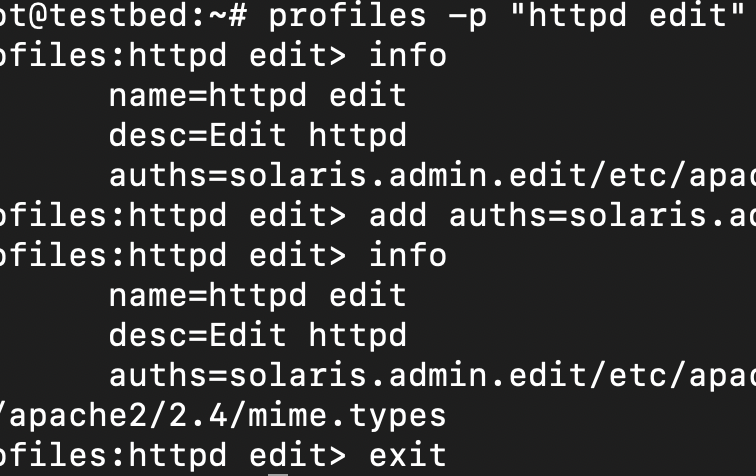
root@testbed:~# profiles -p "httpd edit"
profiles:httpd edit> info
	name=httpd edit
	desc=Edit httpd
	auths=solaris.admin.edit/etc/apache2/2.4/httpd.conf
profiles:httpd edit> add auths=solaris.admin.edit/etc/apache2/2.4/mime.types
profiles:httpd edit> info
	name=httpd edit
	desc=Edit httpd
	auths=solaris.admin.edit/etc/apache2/2.4/httpd.conf,solaris.admin.edit/etc/apache2/2.4/mime.types
profiles:httpd edit> exit
And now you can edit mime.types.
junior@testbed:~$ pfedit /etc/apache2/2.4/mime.types
pfedit: no changes for /etc/apache2/2.4/mime.types.