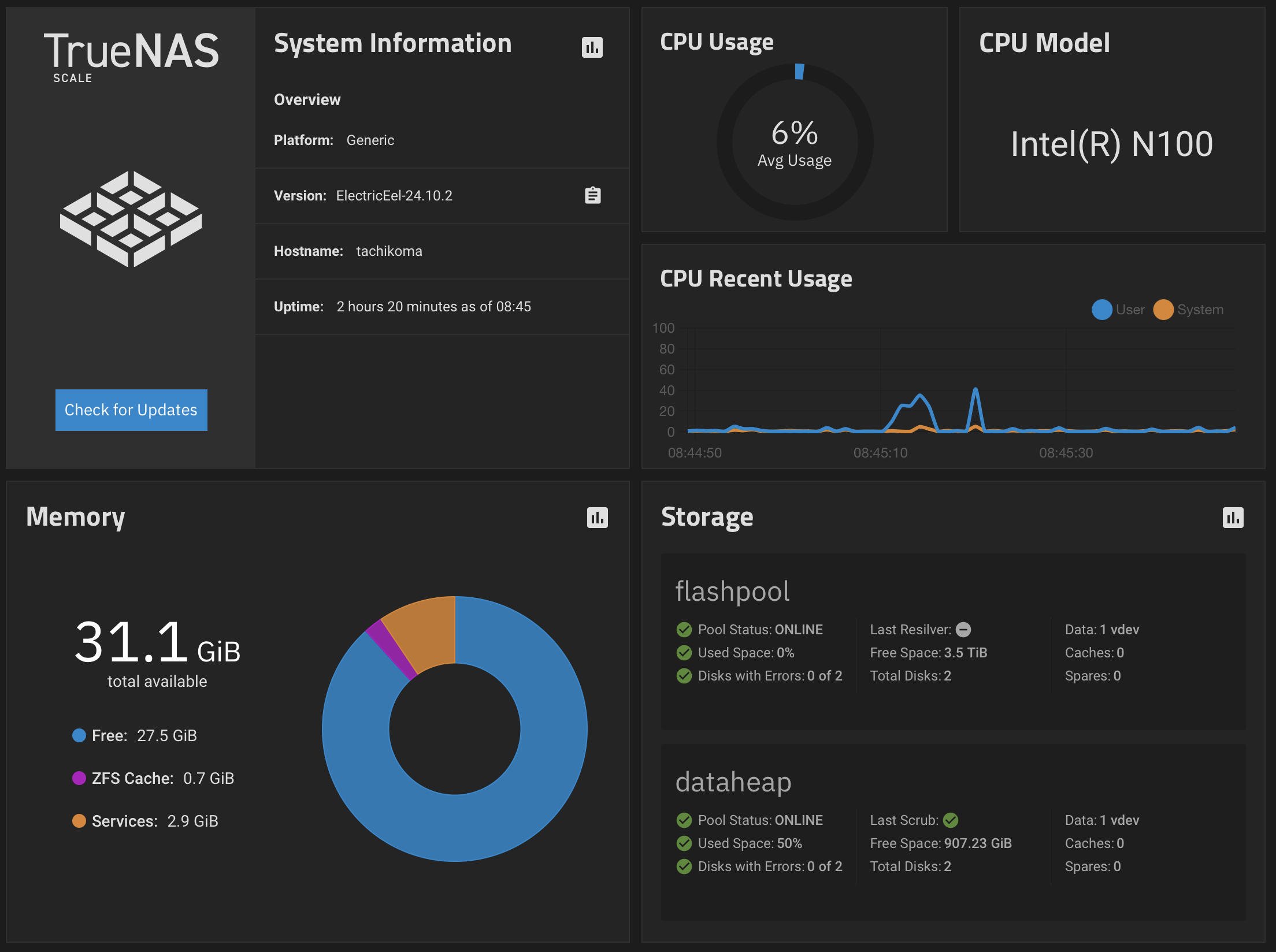
This weekend I migrated my blog to a new workflow based on Gitea and Docker. This solves a number of issues for me. But first I would like to explain where I’m coming from. The more technical part starts at “Caveat emptor”.
History
My workflow regarding this blog was a little bit dependent on my desktop system since I migrated away from S9Y. S9Y was nice, because it was self-contained. You didn’t need any other tool to publish a blog entry except your web browser. All workflows essentially boiled down to a cut and paste into a web form. But you had to maintain a lot of components.
Since 2021 this blog is based on Jekyll. It’s fully static. It’s just a large heap of static files. The decision was based on the experiences with Jekyll expressed by Isotopp and unixe.de on their respective social network accounts back in 2021. Having only a set of HTML files that I could essentially drop at any available webspace provider without thinking about updating something was really appealing to me.
After this migration my workflow was totally different than before: The first blog entries after the migration were actually typed with vi directly on the system because there is no form with a publish button. Now I’m editing my blog entries with Ulysses on one of my systems. When the text is somewhat ready for publication, I’m pasting the text into a file through the web editor of GitHub and commit it to a private GitHub repository.
The publication process to bring this repository to the internet uses Jekyll. The process translates the markdown files in the repository into HTML files on my webserver — with the help of some additional tools like rsync to transport the files.
Until this morning, I used essentially a manually started shell script that triggered a checkout. If anything is actually checked out of the repository, a hook is triggered that starts a second shell script which in turn starts jekyll and uploads the newly generated site.
The issue: The environment to do so was one and only one system: waddledee. Or to be exact it was there until this morning. waddledee is an M2 Pro based Mac Mini, not portable at all. This workflow worked for a long time reasonably well. However, it had a major disadvantage: I must sit at the desktop or ssh into the system to start the process. In the pandemic world this was never really a problem, because I stayed at home. waddledee (or its predecessor environments) was always available.
But it was a problem for example when I was on my long bike tours last year and it would have been an even bigger problem if my knee hadn’t ruined my attempt for the really long bike tour. Well, I had a kludge in place, a cron job that checked for a file and then ran the scripts to generate the website. So, I just had to upload this file via scp to a certain location and wait until the next run triggered by cron would do its work. But all this was really suboptimal. This reminds me — I have to switch off the cron job. Dang. Done.
Fast forward to last week. With the arrival of tachikoma running 24/7 in my home office, I finally wanted to have a somewhat better solution than all the kludginess. Additionally, migrating to the Unifi Cloud Gateway Ultra at the beginning of this year improved the VPN situation vastly, so self-hosting everything except the webserver itself became more feasible — even when blogging while not at home is still a requirement.
So, my plan was:
- Getting rid of GitHub in the process.
- Getting rid of the manually started or kludge-triggered scripts.
- Having a proper automated process from check-in of the files to deployment on my web server.
All this was on my to-do list for — well — for a few years now. But always something was missing, like time or the mood to invest the available time into the problem.
Caveat emptor
This is a hack on a Saturday evening and Sunday morning. The script has the elegance of the “Volkstrampelschritt”1 dance in yellow rubber boots. It runs on a personal instance of Gitea in my home network in a VLAN which has only exactly one user, which I implicitly trust most of the time. Yes, I’m not trusting myself all the time.
So essentially all this is a quick hack. If you want to use this workflow, you have to do your own risk assessment and risk mitigation. In an environment with just one additional user I would have put more effort into sanitising inputs for example. Use it at your own risk. There are some artefacts from an earlier version in it like the /jekyll directory.
Environment
So, the objective was to migrate everything to tachikoma. This system runs TrueNAS Scale as it’s primarily a NAS system and runs 24/7. TrueNAS Scale offers a selection of ready-made Docker containers, most of them are quite nice. One of these offerings was Gitea together with a second container called gitea-act-runner. That caught my interest.
So I installed Gitea and migrated the repository from GitHub onto my fileserver. This was quite easy as soon as I found out (again2) where I have to get the access token to allow Gitea to migrate all data from GitHub.
So — the get-rid-of-GitHub part was done. That was easy. Wait a moment — not really. Yes. It was easy. But GitHub was still in the processes. My scripts were still using GitHub. I just generated a copy of my repository in-house. Well — part not done.
One way to go forward would have been to install my old scripts, put them on tachikoma in a Docker container and have a nice residual weekend. I opted for a slightly better solution. I translated all this into a Gitea workflow.
Prerequisites
As I wanted to use the TrueNAS system, I’ve used the provided Docker containers for the basic infrastructure. I’ve installed:
- Gitea
- gitea-runner
- portainer.io
I’m not really a fan of using ready-made Docker containers in a homelab environment. I think installing software in your homelab should be, must be a learning experience and just dropping a container on your system takes away a lot of this learning curve. However, I just had this weekend to get this running. My last week was busy, and the next one promises to be similar. And I try to stay away from computers in the evening. And thus I used some ready-made containers and felt worse than after binge-eating at McDonald’s. With TrueNAS Scale 24.10 it got much easier to deploy your own container as they dropped Kubernetes and exposed an interface to deploy your own containers, but I hadn’t the time to get acquainted with this subsystem.
So: I assume you have set up Gitea and the runner and connected the runner to your Gitea environment. I assume that you have Docker up and running and know how to use it.
Docker container
First step was to get a build environment I could use with the runner.
I didn’t want to use a plain Linux container for this, just to install all the dependencies every time I’m running this. So I created my own Docker container with the help of a Portainer instance running on my system.
FROM debian:bookworm-slim

RUN apt-get update && apt-get install -y \
  ruby \
  ruby-bundler \
  ruby-dev \
  systemctl \
  graphviz \
  git \
  nodejs \
  rsync \
  ssh \
  build-essential \
  && rm -rf /var/lib/apt/lists/*

ENV GEM_HOME="/gems"
ENV PATH="/gems/bin:$PATH"

RUN mkdir /gems
RUN gem install jekyll
RUN gem install bundler
RUN gem install jekyll-paginate
RUN gem install jekyll-sitemap
RUN gem install graphviz
RUN gem install jekyll-diagrams
RUN gem install jekyll-toc
I put this into the tooling of Portainer to create an image and named it c0t0d0s0-jekyll, put it on the stove and a little bit later an image was ready.
Workflow
Okay, the environment to run the scripts to generate and deploy my website was complete now — well after a few iterations. The next step was to create a workflow that starts on the system every time an event has been triggered, for example when a push occurs onto the repository.
In Gitea you can define such a workflow for a repository by dropping a YAML file into .gitea/workflows3 in the repository. The workflow I’m using depends on some input from Gitea. You have to set a few variables and a secret to enable the workflow to work. You should set them up first, because the workflow will trigger as soon as you drop the workflow file into the repository.
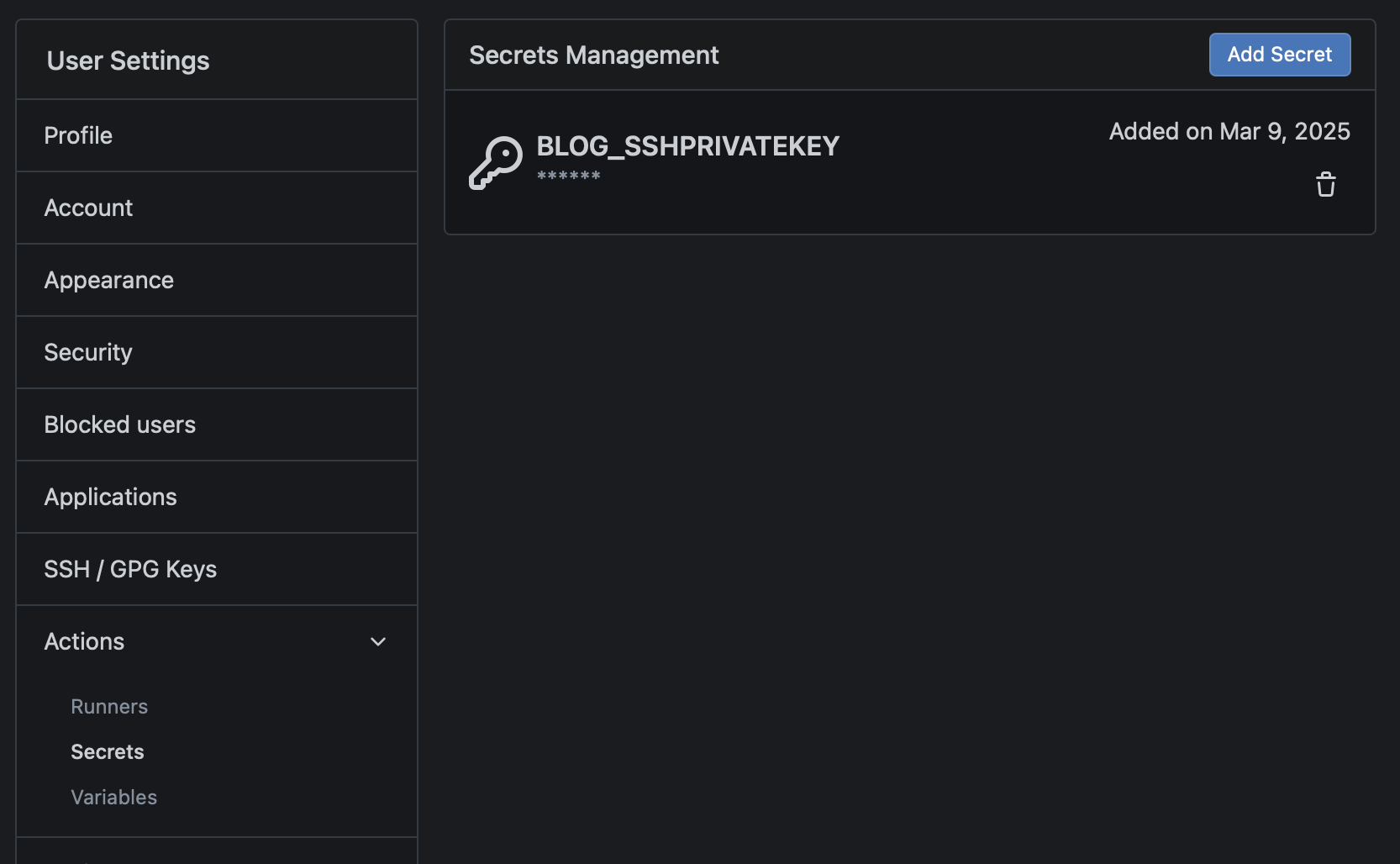
I had to set up passwordless authentication with SSH. I logged into a container running the image, created a key pair, put the content of the public key into ~/.ssh/authorized_keys in my home directory at the webspace provider and pasted the private key into a secret managed by Gitea.
I named the secret BLOG_SSHPRIVATEKEY and pasted the complete content of the private key file (probably id_rsa) including the header and the footer into this field.
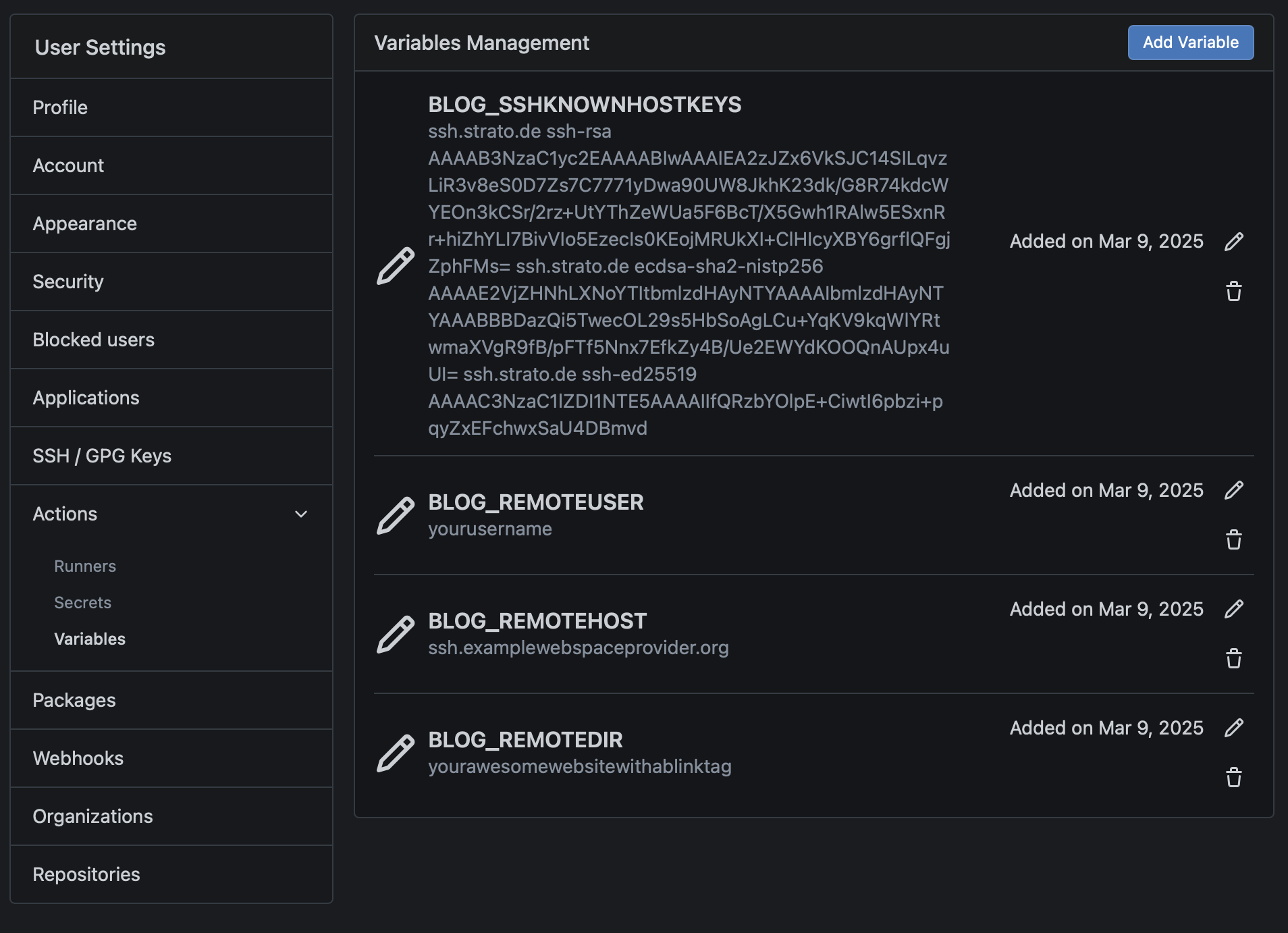
To ensure host key verification, you have to acquire the public keys of the hosts. Instead of acquiring them each time anew, I opted to put them into a variable. Getting them anew each time is a little bit nonsensical. Because they would always be validated. To get the keys I used ssh-keyscan examplewebspaceprovider.de. After cleaning out the lines starting with # I pasted them into the variable BLOG_SSHKNOWNHOSTKEYS.
Three additional variables were needed, BLOG_REMOTEUSER, BLOG_REMOTEHOST and BLOG_REMOTEDIR. The variables are pretty self-explanatory. You put your username on the remote system in the first one, the hostname in the second and the directory you want rsync to use as a target as the third.
Okay, the final part was the workflow file itself. I created a file at .gitea/workflows named build_blog.yaml in my repository:
name: Building the blog
run-name: $ is building the blog
on: [push]

jobs:
  Buildblog:
    runs-on: ubuntu-latest
    container:
      image: c0t0d0s0-jekyll
    steps:
      - name: Check out repository code
        uses: actions/checkout@v4
      - name: Run Jekyll. Do not Hyde!
        env:
          GEM_HOME="/gems"
        run: |
          bundle exec jekyll build --source $ --destination /site
      - name: SSH stuff
        env:
           BLOG_SSHPRIVATEKEY: $
           BLOG_SSHKNOWNHOSTKEYS: $
        run: |
          mkdir ~/.ssh
          echo "$BLOG_SSHPRIVATEKEY" > ~/.ssh/id
          chmod 600 ~/.ssh/id
          echo "$BLOG_SSHKNOWNHOSTKEYS" >> ~/.ssh/known_hosts
      - name: rsync to webspace
        env:
          BLOG_REMOTEUSER: $
          BLOG_REMOTEHOST: $
          BLOG_REMOTEDIR: $
        run: |
          echo Syncing as $BLOG_REMOTEUSER
          echo Syncing to $BLOG_REMOTEHOST
          echo Syncing in $BLOG_REMOTEDIR
          rsync -e "ssh -i $HOME/.ssh/id" -r /site/* $BLOG_REMOTEUSER@$BLOG_REMOTEHOST:$BLOG_REMOTEDIR
Yes, I know, the GEM_HOME is not necessary. It’s already set in the Docker image. One of the artefacts of former revisions. In a more polished version I will clean this up.
Successful workflow
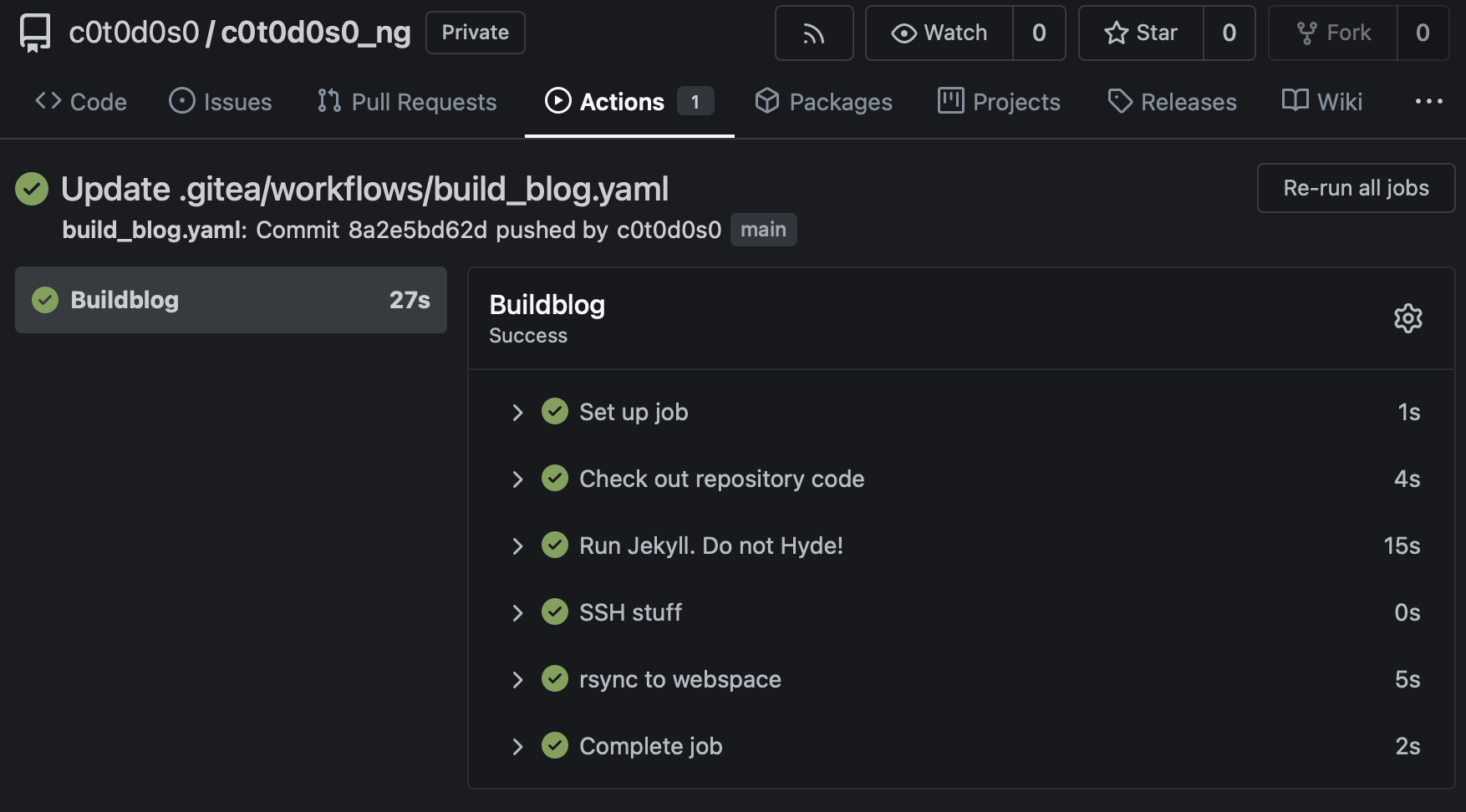
There is a reason why I configured the variables and secrets first. Pushing the workflow into the repository already starts the workflow. Because it’s a push in the end. You can check at actions if your workflow worked as expected.
Takeaways
The “Schwupsidisity”4 increase of your own Gitea is really nice. And the new workflow is so much more comfortable that I’m asking myself why I didn’t configure it earlier. And yes, this blog entry is a test entry. If you can read this, everything I described before is used to publish this blog entry. This is the reason why I didn’t wait until I have a more refined version ;)
-
Something that looks remotely like a dance, but really isn’t. It’s emulation of a competency to avoid embarrassment in a social situation. ↩
-
I’m using that feature so seldom that I have to search for the position in the menu structure each time — ↩
-
It took me longer than I would like to admit that
workflowandworkflowsare not the same — ↩ -
The perceived speed of a system when using it. A system with a high Schwupsidisity feels fast. ↩