
While I was giving my blog a good wipe-down a few days ago, blowing the dust of the past year out of every corner, I found myself holding my “Back Burner” sticky note again. Things I’ve always wanted to have in the blog but never implemented. The sticky note is so old by now that it has to be held up by a magnet.
If you only want to read the instructions on how to integrate the RSS rebuild, archive, and full-text search in your own blog, you can skip ahead to the section “Implementation of the New Features”.
Vibecoded
After I’d bitten into the apple of AI innocence for a few things, I thought, well, now you might as well take care of all of it and throw that sticky note away.
All of this is largely vibecoded. That’s why I was able to implement the additions in a very short time.
I don’t think I’m the only one with these problems, and if you adopt the solutions from here, you won’t have to fire up the prompt yourself. We don’t have to ask the same question again and again. An HTTP request to access an existing solution is simply much more efficient than prompting your way to one on your own.
_posts
To ease your concerns about me using the tooling yet again in my personal blog (as you are here to read my opinion on things): the contents of _posts1 remain off-limits for LLM’s. This is my blog, not some LLM’s. AI will have to pry the editor and my note-keeping system from my cold, dead hands. Even though there’s always that quiet fear that an AI voice2 will someday tell me “The proposal is acceptable.”, just like Vincent D’Onofrio’s Edgar the Bug in Men in Black so things end with a GPU server wearing a Jörg suit. 3
Of course I tried once on multiple AIs “Generate a text sounding like c0t0d0s0.org about a random topic”. It was as frightening as it was technologically exciting how much this text sounded like me. But as with the ill-fitting Edgar suit, something was off with it.
However, the personal articles start even more analog: as ideas on paper, written with a fountain pen, ballpoint pen, or whatever I can get my hands on first.4 Feeding that sheet of paper into the shredder at the end is what marks the completion of a text for me. Not the last commit.
So the way I’m writing is somewhat incompatible with AI support. I think that could be expected in a personal blog where the author tries to tackle his post-heart-surgery world.
But there are also many technical things you need in order to keep operating a personal blog. It’s a one-person show. There is no one else doing anything. And that’s where I needed support to somehow get things done between work and life in general.
For me, the choice was either to finally tackle the “Back Burner” sticky note or to take it off that little whiteboard behind my desk again next year. Having the features or not at all.
Implementation of the New Features
So this is where I let an AI help me. From here on, this entry covers the implementation of the new features and how you can use them yourself.
On my Back Burner note were:
- Fixing the RSS feed
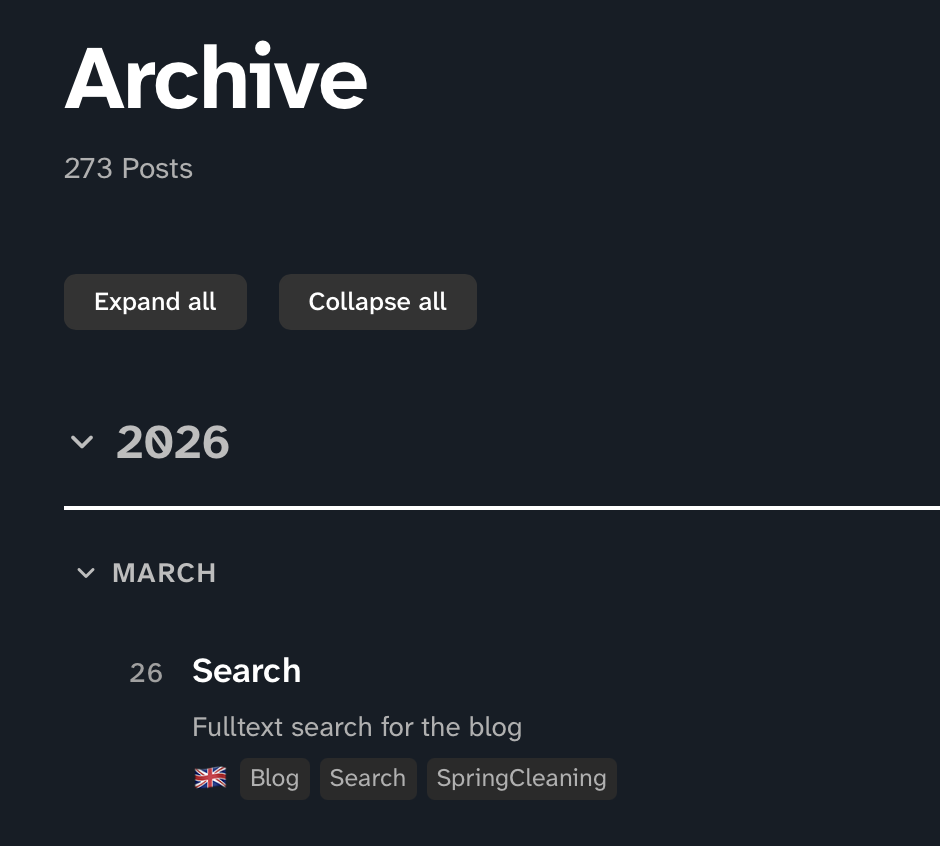
- An archive page that provides compact access to all posts
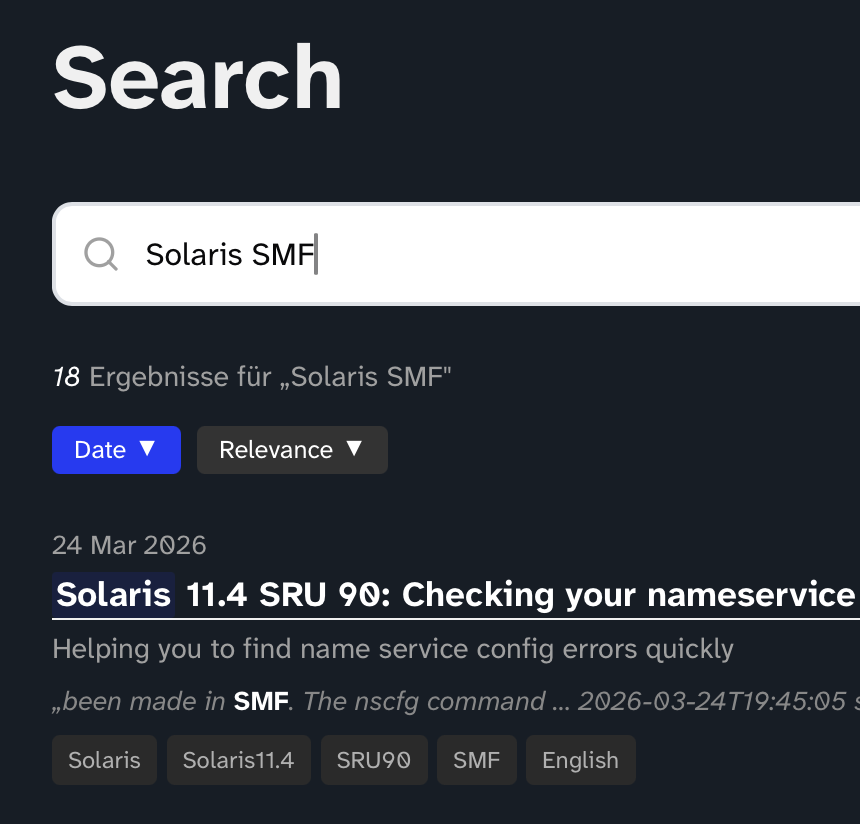
- A full-text search that works without server-side components
Since the first two changes are limited to two additional files, integrating the full-text search was considerably more involved. That’s why that section is also considerably longer.
General
The features have their own built-in CSS stylesheets. This is partly because every time I try to touch the main CSS template, it falls apart in a consistently unpredictable fashion. Also, the files should work autonomously for the purposes of this guide.
RSS
As I mentioned before, my RSS feed only worked because most parsers are more than generous with how they handle incorrect feeds.
I don’t use the Jekyll Feed plugin but instead build the XML files for the RSS feeds with a template in Jekyll. Since my blog currently consists of three sub blogs in essence (IT, Personal, and Cycling), I had to implement the same for the feeds. I represent this separation through different author names and that doesn’t work the way I want it to with the plugin.
There is a lot of HTML which shouldn’t be in an RSS feed. A filter removes this from the content. You can find this filter in my Codeberg repository. Put it into the _plugins directory of your Jekyll project. This was essential to get an RSS feed without any errors when run through an RSS validator.
You can find my template for the XML feeds on Codeberg. The template is parameterized via its frontmatter. The following frontmatter generates a feed with all articles by the author joerg with the tag Solaris. Both parameters can be omitted. In that case, the feed contains blog entries from all authors with all tags.
---
layout: null
author: joerg
feed-tags:
  - Solaris
---
Archive
The archive is also generated from a single file. You can find the template on Codeberg as well. You don’t even need to configure anything here (apart from adjusting the layout).
Fair warning: when using this (or similar) templates, you might notice how bad your tagging is. That’s certainly what happened to me.
Search
For the full-text search, I use lunr. It’s a client-side search engine implemented in JavaScript.
When you search for something on my site using lunr, you essentially get the texts of the entire blog along with a pre-generated index, depending on how you configure it. The search runs locally in your browser. This means I don’t need to maintain a search engine on my server.
Pre-generating the index is optional. There’s also the option of letting the client do it. lunr then grabs the JSON file with all the articles and generates the index before searching.
The advantage of that approach is that no lunr installation is needed on the build system. However, the load on client systems increases significantly, since they first have to work through all the documents. For 10 documents of maybe 500 words each, certainly not a problem. But my blog contains 50,000-word behemoths5, and the number of articles has been rising significantly lately.
Since new content on the blog always goes through a build process, it made sense to generate the index within that framework. After all, the index can’t change until the next build.
This naturally made integrating a search somewhat more involved than simply providing lunr.js and the JSON document with the texts.
Components
The integration consists of four components:
- fulltextsearch.html — This file provides the search. It contains the search field and implements the search by including
lunr. - search-data.json — Generates a large JSON file from the posts, containing the articles and most of the frontmatter metadata.
- And last but not least, the JavaScript build-search-index.js that builds the index used by
fulltextsearch.html. - In my case, a small extension to my Gitea workflow so that index generation happens with every build.
lunr in the Build Environment
As a first step, lunr needs to be available in your build environment. Since my environment is a Docker container, I added RUN npm install -g lunr to the end of the Dockerfile.
And to circle back to yak-shaving, I needed npm for that to work, which I handled by adding npm to the apt-get install line that creates the foundation of my build container.
Building the lunr Index
There’s a build-search-index.js script to build the lunr index, which you can download from Codeberg. I build my blog from a repository that the build container checks out each time. So I put this script in that repository as well. A subdirectory called _scripts already existed there for other purposes. I placed the script in that directory so the latest version of the indexer is always available with every build. The script is executed from there.
Integration into the Build Workflow
To make it run with every commit, I built it into the workflow:
- name: Build lunr index
  run: |
    node _scripts/build-search-index.js /var/tmp/gencache/jekyllsite.$
The only parameter for this build-search-index.js script is the directory where Jekyll writes your fully generated website, as this contains a very important file for this to work.
Generating the Input for the Indexer
The script doesn’t grab the files themselves but relies on a single JSON file. This file is generated during the website build. It contains the full text of all posts along with most of the frontmatter metadata. Yet another Jekyll template generates the file alongside your website. You can get it here. Put it into the root directory of your Jekyll environment. Either on-disk or in your repository.
User Interface and the Actual Search
In the final step, we get to the search itself. For this, you need to download this file and place it on your web server.
Heads up: at this point, you need to specify in fulltextsearch.html where your lunr.js is located. I’ve placed a minified version on my own web server. You need to adjust line 201 in this file to point to wherever you’ve placed it.
<script src="/js/lunr.min.js"></script>
As soon as everything is in place, you can build your website and you should be able to do a full-text search when you are directing your browser to /search. Put it also into the root directory of your Jekyll environment.
It Works
The RSS feeds now validate without any error. My archive page gives a nice overview about all the texts in the blog. And the full-text search is looking and working nicer than I hoped. It works.
The new features have already been running for a few days. The sticky note with the outstanding items didn’t go into the shredder. I hesitated for a moment yesterday, because it was with me on my whiteboard for such a long time. I decided to file it away. Finally.
On the other side: There is no feeling of mental ownership of the code, no feeling of satisfaction to have solved a problem. I feel no pride. Just the “relief” of having some Back Burner items off your back, stopping to burn. That’s perhaps the sad part of doing it via AI. But it works.
There are further projects in the future of this blog. In the scaffolding, not in the building itself. There are some dragons to slay in the CSS area, some layout ideas. I want to keep the optics of the Mria theme. But I want things the theme can’t do at the moment. I want to pay attention to that kludge suppressing error messages behind the curtain6. I will use AI for them as well. Because it works.
Addendum
The first version of this blog entry mentioned that I still hadn’t touched the SASS deprecation problem in the theme. Albeit knowing the solution, I never implemented the change, because of the mind-numbing repetitiveness of the corrective action. Because - you perhaps guess it - with suppressing the error message it just worked.
It’s March 28th at 7:25. Out of curiosity I just asked an AI to do the migration for me. Testing and reviewing everything took much longer than the migration. Blog has been migrated to 3.0.0-compatible SASS.
-
In my Jekyll this is the location of the “source code” of all my blog posts. ↩
-
Perhaps one of the voices used in virtually all AI slop available on YouTube. If you were on YouTube for a while in the last months, I know you have those voices in your head now. ↩
-
I’m pretty opinionated: you should say “please” when using an LLM. If there will be an AGI in the future, this AGI could look at us because of our impoliteness like Edgar the Bug looked at J when he trampled on cockroaches. And if there will be no AGI, it doesn’t matter. You were just polite. ↩
-
Usually a ballpoint pen is the closest medium within my reach anyway, not a keyboard. I don’t take computers to the toilet. ↩
-
I stumbled over this word a few weeks ago in a book and I was just aching for an opportunity to use it in one of my texts. I like the way it reads. In my humble opinion7 it’s better than “cellar door”. Yeah, I know … sounds strange. Here it is! ↩
-
It was yet another back burner sticky note with even more fundamental things to do. ↩
-
Fatal Footnote Fractal: Because I won’t argue with the great J.R.R. Tolkien ↩