
For quite some time now (since Solaris 11.0 to be exact) accounts in Solaris are created with UP in the password field. This is short for “uninitialized password”. However there is a relatively new change (introduced in SRU 78) that you can’t log in to the system with such an account. Even with a valid SSH public key configuration, the system wouldn’t allow you in until you set the account to the “no password” state first, as indicated by NP in the password field.
There are a number of situations where this is not practical. For example, some scripts and orchestration tools assume that you can log into an account when you create it and put the necessary public keys on the system. However this doesn’t work since SRU 78. Let’s have a look into this.
Example
root@testbed:~# useradd -m testusr9
80 blocks
root@testbed:~# getent shadow testusr9
testusr9:UP:::::::
Afterwards, I copied the necessary files into the .ssh directory.
joergmoellenkamp@waddledee .ssh % ssh testusr9@192.168.3.242
Connection closed by 192.168.3.242 port 22
You have to “activate” the account first.
root@testbed:/export/home/testusr9/.ssh# passwd -N testusr9
passwd: password information changed for testusr9
root@testbed:~# getent shadow testusr9
testusr9:NP:20464::::::
Now you can access the system.
joergmoellenkamp@waddledee .ssh % ssh testusr9@192.168.3.242
Last login: Sun Jan 11 18:28:09 2026 from 192.168.31.222
Oracle Solaris 11.4.81.195.2                       Assembled May 2025
testusr9@testbed:~$
Solaris 11.4 SRU87 allows the creation of a user directly with the NP flag set.
root@testbed:~# useradd -m -N testusr9
80 blocks
root@testbed:~# getent shadow testusr9
testusr9:NP:::::::
Now a user can start to use this account via SSH public key authentication right from the start. This is still somewhat impractical as you would have to adapt your scripts. However, you can define this behaviour as a default.
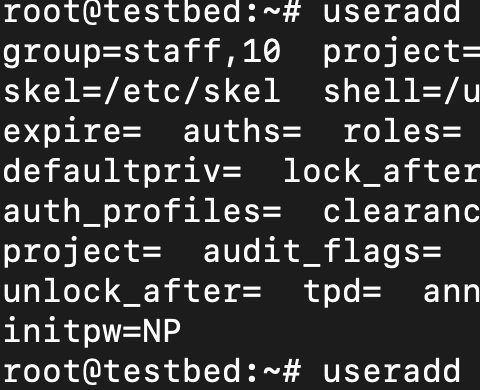
root@testbed:~# useradd -D -N
group=staff,10  project=default,3  basedir=/export/home
skel=/etc/skel  shell=/usr/bin/bash  inactive=0
expire=  auths=  roles=  profiles=  limitpriv=
defaultpriv=  lock_after_retries=  roleauth=
auth_profiles=  clearance=  min_label=  pam_policy=
project=  audit_flags=  access_times=  access_tz=
unlock_after=  tpd=  annotation=  zfshome=yes
initpw=NP
root@testbed:~# getent shadow testusr9
testusr9:NP:::::::
Conclusion
Without changing your scripts you can now create users with behaviour more similar to that of pre-SRU 78 systems in regard of the ability to directly use an account.